How to Stay Organized: My Simple Daily Routine Plan
Have you started your day unsure which task deserves your attention first? When your work, plans, and small chores all compete, even easy tasks can feel hard to start. It can seem like everyone else knows what to do while you are still sorting the list.
I see organization as a skill, not a personality trait. People can build it with small, repeatable practices that fit their days. A useful routine does not need to look perfect or take hours. It needs to help you see what matters and take the next step.
This plan offers a practical, flexible way to keep tasks and priorities in view. You can adapt it to your work, home, and available time. First, it helps to define what getting organized looks like in everyday life.
What Does Getting Organized Actually Mean?
Organization is a set of skills and workable systems, not a fixed personality type. You can learn to get organized by practicing simple habits that make daily tasks easier to see and manage. A capture-and-review system is a repeatable method for collecting tasks, identifying next actions, and reviewing them.
In practice, organized means knowing what needs doing, where to find what you need, and when to act. It does not mean keeping every room spotless or remembering every detail. A helpful system gives your brain fewer loose ends to hold at once.
Treat organization as a skill you can practice
Like any skill, organization gets easier with practice. I would start with one task you often forget, such as returning a form or bringing a book. Write down the next action, then choose a place to keep that reminder. Repeat the same step when the task comes up again.
That small routine can teach you what works without demanding a big change. You might need a written list, a marked calendar, or a tray near the door. The best choice is the one you can find and use on an ordinary day.
Reduce what you need to manage
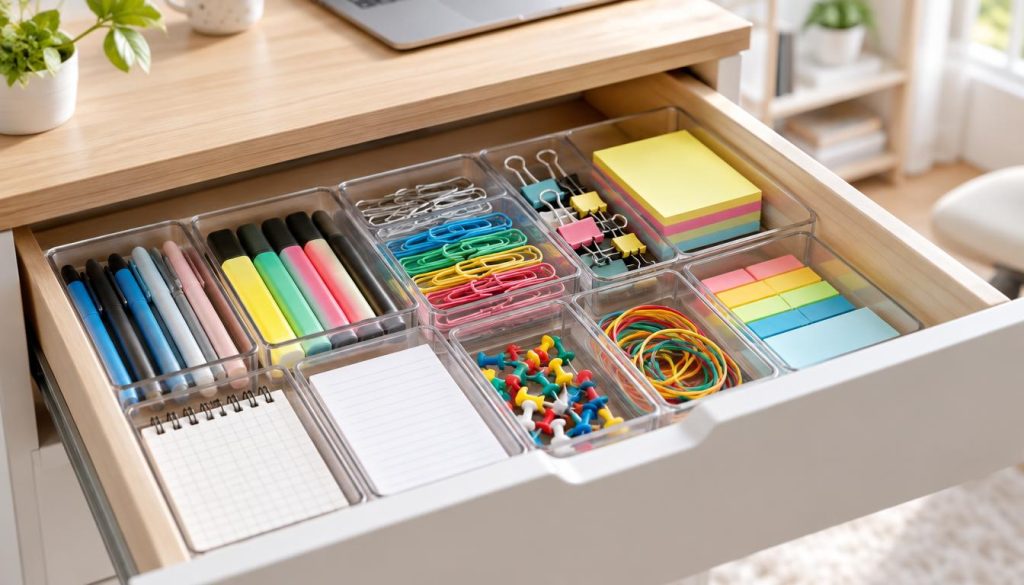
Extra belongings take up space and make it harder to find useful items. Sorting a drawer can help: group similar things, decide what belongs there, and keep sorting until the space is empty. Put back only what you use or need.
Fewer items can mean less clutter to move, clean, and put away. You do not need to clear your whole home at once. One drawer, shelf, or work surface is enough to show where the trouble starts.
Start with one specific trouble spot
Choose one recurring difficulty instead of trying to fix everything. Maybe keys go missing, papers pile up, or you forget a weekly task. Pick a spot or moment that causes real friction, then make one clear change.
Keep the first change small enough to repeat. If papers gather by the kitchen door, place a tray there and give it one purpose. A specific fix makes organization easier to practice, and a daily routine can put that system to work.
How to Stay Organized With a Simple Daily Routine
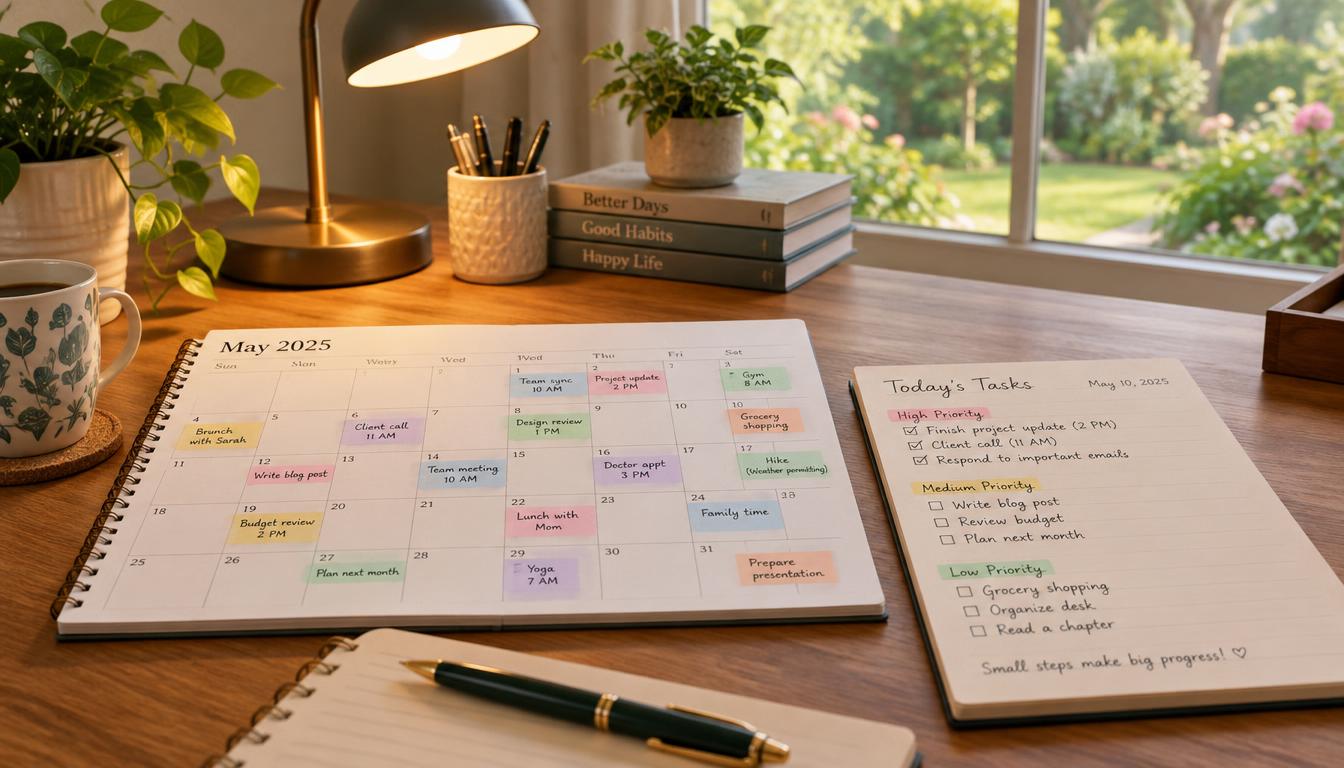
Before opening messages, check your calendar and see what the day already holds. A simple morning-to-evening routine keeps tasks visible without asking you to plan every minute. I use one place for the task list, so new work does not scatter across notes.
A 15-minute morning planning block gives you time to review commitments and choose the day’s key outcomes. Keep the plan short enough to use when the day gets busy. Then return to it when new requests arrive.
Set up the day before work begins
Start with the calendar, then note the tasks that support your plans and goals. Choose a few outcomes that matter most, rather than copying your entire task inventory. For example, a key outcome might be sending a draft, not simply “work on project.”
Write the tasks in one place you can reach during the day. If a new job appears, add it there instead of trusting memory. The list should show both what needs doing and the next action you can take.
Use a short plan to guide the workday
Give the most important tasks a clear place in your day, and keep the rest visible. You do not have to follow the plan exactly. If a meeting runs late, move the task rather than pretending the lost time did not matter.
Check the list when you finish a task or when plans change. Mark completed work, remove tasks that no longer matter, and choose what comes next. This small check can stop one interruption from turning into a lost afternoon.
Close the day with a reset
Before you stop work, note any unfinished task that still needs action. Move it to a realistic time or write the next step for tomorrow. Clear the desk before finishing work, so the first task is easier to begin later.
On a rushed day, keep only two steps: check your commitments and choose one next action. That small version still gives your day a clear starting point. The routine works best when the task list reflects real priorities, so the next choice is what to do first.
How Do I Decide What to Do First?
Start with the task that matters most and has a real deadline, not the newest notification. Do not treat every task marked urgent as equally important. Check the due date, the effect of delay, and the next concrete action.
Some tasks have a clear deadline but little effect on your goals. Others matter a lot but have no deadline today. Sorting tasks by importance and urgency can help you get things done without letting every request take control.
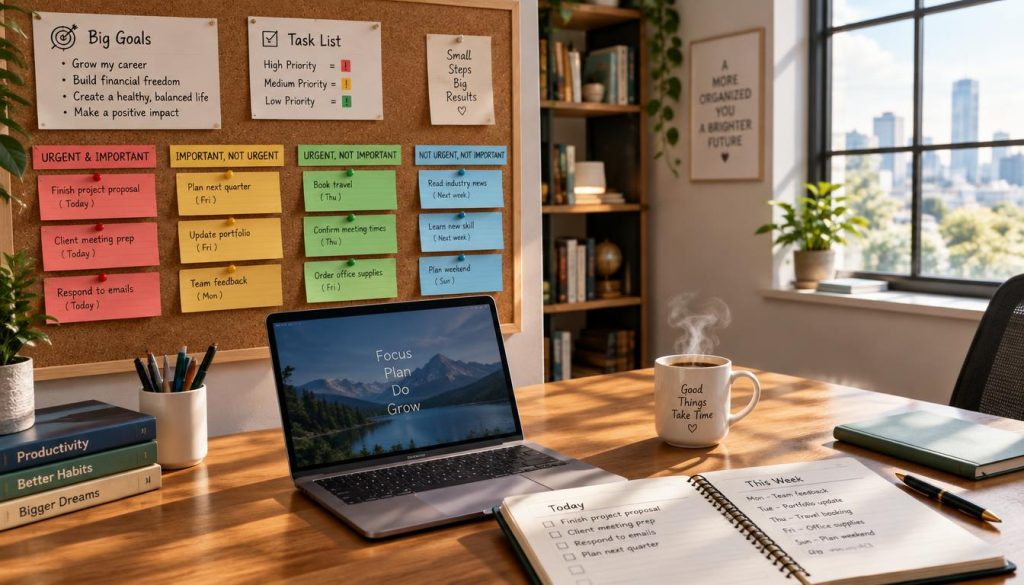
Use these four categories to sort the work in front of you:
- Important and urgent: act soon because the deadline or impact cannot wait.
- Important but not urgent: schedule time before the deadline gets close.
- Urgent but not important: delegate it when another person can handle it.
- Neither important nor urgent: remove it when it adds little value.
For important work without a close deadline, choose a time to begin. That protects it from being pushed aside by quick requests. If a task is urgent but does not need your attention, ask whether someone else can do it.
Low-value tasks may not need a place on your active list. Remove them when they no longer support your goals or obligations. This keeps the list focused on things done that make a real difference.
For each task, write an action you can start, such as “open the budget file” or “call the school.” A clear action is easier to begin than a broad label. Once you choose the task, decide how much time to give it.
How Can I Manage Time Without Overplanning?
A report can keep expanding until you give it a clear time limit. Set a realistic block for the work, then leave space for breaks and changes. A useful time plan supports your attention without filling every part of the day.
Different tasks call for different ways to use time. Time blocking reserves a span for a type of work, such as calls or writing. Timeboxing sets a start and stop time for one task, even if the task is not fully done.
Choose a time method that fits the task
The Pomodoro technique uses 25-minute work blocks followed by 5-minute breaks. That can help with a task that needs steady focus and has a clear stopping point. A short break gives your mind a chance to rest before another work block.
For a task that needs deeper work, you may need a longer block. For quick work, a fixed 25 minutes may feel too formal. I would match the method to the task instead of forcing every job into one pattern.
If you have the most focus early, tackle a difficult task then. A morning writing task may go more smoothly before calls begin. Your best focus time depends on your energy and the demands of your work.
Protect focus time and leave room for changes
Leave transition time between tasks, along with space for interruptions and breaks. A plan with no gaps can fall apart after one late meeting. Even a small open span gives you room to adjust without losing the whole day.
Time blocking can help when your work has steady tasks and known appointments. A fully blocked calendar can be a poor fit for unpredictable work, such as a day full of urgent requests. Keep those plans flexible and protect only the time that truly needs protection.
When a task takes longer than planned, decide whether to extend it or move the next step. Do not let the clock make the choice for you. A time plan also needs a reliable place to record changes, which leads to task capture and paper handling.
How Do I Keep Paper and Digital Tasks in One Place?
An important deadline can disappear under a pile of loose paper. Keep tasks in one trusted central capture place, and give each paper a clear next stop. That way, a note on paper and a task on a screen do not compete for your attention.
Choose one dependable system for incoming tasks and notes. It may be a notebook, a digital task list, or a simple mix with clear rules. Record a task as soon as you notice it, then review it at a set time.
Capture tasks in one trusted system
A task list should be the place you check before starting work. If a paper note contains a task, move the task into that list, then keep or discard the note as needed. This makes it less likely that a reminder will stay hidden in a notebook or pocket.
Paper still has a role when you need a signed form, a draft, or a project record. Use labeled folders for current project papers, and keep them easy to retrieve. Current paper should not be buried in a long-term file.
Give incoming paper a clear route
Set up five clear paper destinations. Give each one a simple label, so you do not need to decide where every page belongs from scratch.
- Incoming inbox for paper that still needs review.
- Current project folder for active work you need soon.
- Long-term file for records you may need later.
- Recycling for paper you can safely discard.
- Shredding for papers with private details.
A desktop file box can hold labeled folders for active projects. Store long-term papers in a file drawer with broad file names, such as “home” or “taxes.” Keep recycling and shredding in separate destinations, so private papers do not go into the wrong bin.
Choose a time to process incoming paper, such as a set point during your workweek. The right time is one you can keep. A simple paper route works best when it connects to physical places where items are stored and returned.
How Do I Organize My Home and Workspace?
When your keys have no regular home, leaving the house can take longer than it should. Give frequently used items an easy-to-reach place, then return them there after use. This makes a home or workspace simpler to use and reset.
Keep like items together, such as pens with other writing tools or chargers in one spot. A place should match how you use an item. Put daily tools within reach, and store things you rarely need farther away.
Give frequently used items an obvious home
An obvious home saves you from searching each time you need something. A small dish by the door can hold keys, while a desk cup can hold pens. The exact spot matters less than using the same spot each time.
If other people share the space, make the home easy for them to see and use. A label can help, but a clear container or open shelf may work just as well. Keep common items where people naturally reach for them.
Sort one small area before adding storage
Start with one surface, entry area, or desk. Take out what does not belong, group what remains, and decide what should stay nearby. A small area is easier to finish than a whole room.
Buy storage only after you know what you plan to keep. Adding bins before deciding what to keep can make clutter harder to see, not solve it. A box can hide extra items without making the space easier to use.
Once you sort, choose storage that fits the items and the place. A tray may suit daily keys better than a large bin. A short shelf can make work supplies easier to reach without taking over the desk.
Leave enough open space to set something down and put it away. That breathing room makes a reset feel simple, not like another project. With a clearer space, you can choose a small set of tools to support the same system.
Which Tools Help Me Stay Organized?
A reminder helps only when it appears where you will notice it. Choose a small set of tools with clear jobs, and keep each one easy to access. A calendar tracks appointments, a task list tracks actions, and reminders bring a task back to mind.
One calendar can hold meetings, deadlines, and plans with set dates. A task list can hold work that needs action but does not have a fixed time. Reminders are useful when you need a prompt at a certain time or place.
I suggest one calendar, one note-taking method, and one filing approach. Paper can work well when you like writing by hand and can carry the planner. Digital tools can work well when you need access across devices or want alerts.
Think about ease of access and your chance of using the tool each day. A notebook in your bag may be easier than an app you rarely open. A digital calendar may suit you if your workday already happens on a screen.
Use the calendar as the final home for each appointment. If you also keep a paper planner, copy dates there for planning, but avoid treating both as separate official records. That helps prevent conflicting dates.
A common mistake is building a complicated setup with several overlapping apps before establishing a basic habit. More tools can mean more places to check. Tools should support a routine, not become another routine to manage, so the next step is knowing how to recover when one slips.
What Should I Do When My System Stops Working?
A missed reminder or a long task list can make the day feel unmanageable. Pause, find the immediate problem, and choose one next action you can fix. A system should change when it feels too complicated or you stop using it.
A missed task is not proof that no system can work. It may show that the reminder was too easy to miss, the list was too long, or the next step was unclear. Treat the problem as useful information, not a reason to give up.
Use these steps when things begin to pile up:
- Pause and identify the immediate problem.
- Capture loose tasks in your central capture place.
- Choose one fixable next action.
- Decide what to change to reduce a repeat.
For example, if a deadline is close, write down the next action and the time it needs. If you keep missing a reminder, change where or when it appears. If the list feels too big, separate active work from tasks that can wait.
Pick a fix that addresses the cause, not just the mess in front of you. A short list may help more than a new app. A reminder near the place where you need to act may work better than another alert on your phone.
Some days will still go off track. The goal is not to keep every task perfect, but to regain a clear next step. Treat the reset as feedback about what needs to change, then use small habits to help the system last.
How Can I Make Organization a Daily Habit?
Put your keys back in their home each time you use them. Small actions tied to routines you already have are easier to repeat every day. You do not need to feel motivated before you return one item or check one list.
Habits work best when a clear cue reminds you what to do. The cue might be putting down your bag, finishing a call, or starting work. Link one small action to that moment, then keep the action simple.
Attach small resets to routines you already have
After using an item, return it to its assigned place. Before starting work, check the task list and choose a next action. These small steps can help stay organized without adding a long list of chores.
Try one cue at a time. For example, when you finish lunch, take a minute to clear your work surface. When you come home, put your bag and keys in their usual places. A small reset is easier to keep than a full-room cleanup.
Make the action clear and quick. “Tidy up” can feel too broad, while “put the mug in the sink” has a clear end. That kind of simple step helps a habit fit into a busy day.
Review the system and adjust it regularly
Set a regular time to review your tasks and calendar. Remove stale tasks, update deadlines, and adjust your routine when commitments change. A weekly review can help you spot work that needs a new date or a smaller next action.
Planning should reflect the life you have now, not a past schedule. A new class, shift, or family duty may change when you can focus. Change the system when your week changes instead of blaming yourself for a poor fit.
Consistency matters more than visual perfection. Your desk does not need to look like a catalog, and every note does not need matching labels. The system works when you can find what matters and take action.
Keep the parts that help and adjust the parts that create extra work. That review can make your habits more useful as your goals shift. Choose one practical action and begin today, rather than waiting for a perfect time.
Conclusion
Begin with one small, repeatable action instead of trying to overhaul your whole life. A useful system can be simple and personal, as long as it helps you see what needs attention. You can adjust it as your work, home, and plans change.
Choose one recurring trouble spot, such as misplaced keys or an overflowing desk. Set aside 10 minutes to make one clear change, then notice whether it helps. A small step is a real way to make things easier.
Put that action on today’s calendar or task list. Give it a time and a clear first step, then begin there.
FAQ
How do I get organized when I feel overwhelmed?
How many tasks should I put on my daily list?
How often should I review my tasks and calendar?
Can I use both a paper planner and a digital calendar?
Is the Pomodoro technique right for every task?
What should I do with a task I keep postponing?
You May Also Like
 Friendship Quotes
How to Be a Better Friend: 16 Simple Ways to Build Stronger Friendships
 Personal Motivation Quotes
45 Self Confidence Quotes to Help You Build Lasting Self-Esteem
 Personal Growth
10 Good Things Confident Women Do Every Day
 Personal Growth
How to Love Yourself (Even When You Have No Idea Where to Start)
 Personal Growth
How to Overcome Fear of Failure: 7 Practical Steps
 Motivational for Students
50 Believe Nothing Is Impossible Quotes for the Days You Need a New Way Forward
 Personal Growth
Goal Setting Strategies for Success: How to Set, Plan, and Actually Achieve Your Goals
 Positive Affirmations
150+ Congratulations Quotes for Success and Achievement
 Personal Growth