Clever AI Humanizer: An Honest Review After Testing It Across Real Client Work
I have spent the better part of the last year running AI-generated drafts through AI humanizer tools, and Clever AI Humanizer is one of the few I still have open in a browser tab most workdays. If you write for a living, you already know the landscape has shifted. Editors ask about AI use. Clients run detection tools before payment. Search platforms have refined their systems to reward genuine voice over machine-flat prose. Humanizers have become part of the working writer’s toolkit whether we like it or not.
This is not a promotional writeup. I paid for my own subscription, tested the free tier extensively before that, and put the tool through work that mattered — client articles, LinkedIn posts, ghostwritten pieces, and a few academic drafts I helped friends refine. Some of the outputs were genuinely impressive. Some were not. All of them taught me something about where these tools fit and where they fall apart.
Below you will find my real-world, post-experience conclusions about what Clever AI Humanizer is capable of. We will discuss its actual functionalities, compare them to the alternatives, analyze what it does right and where it may not be worth paying extra for, and, most importantly, how to use it in everyday writing tasks without getting overly reliant on it. By the end of this article, you will have a decent idea of whether this tool is right for you.
What Is Clever AI Humanizer?
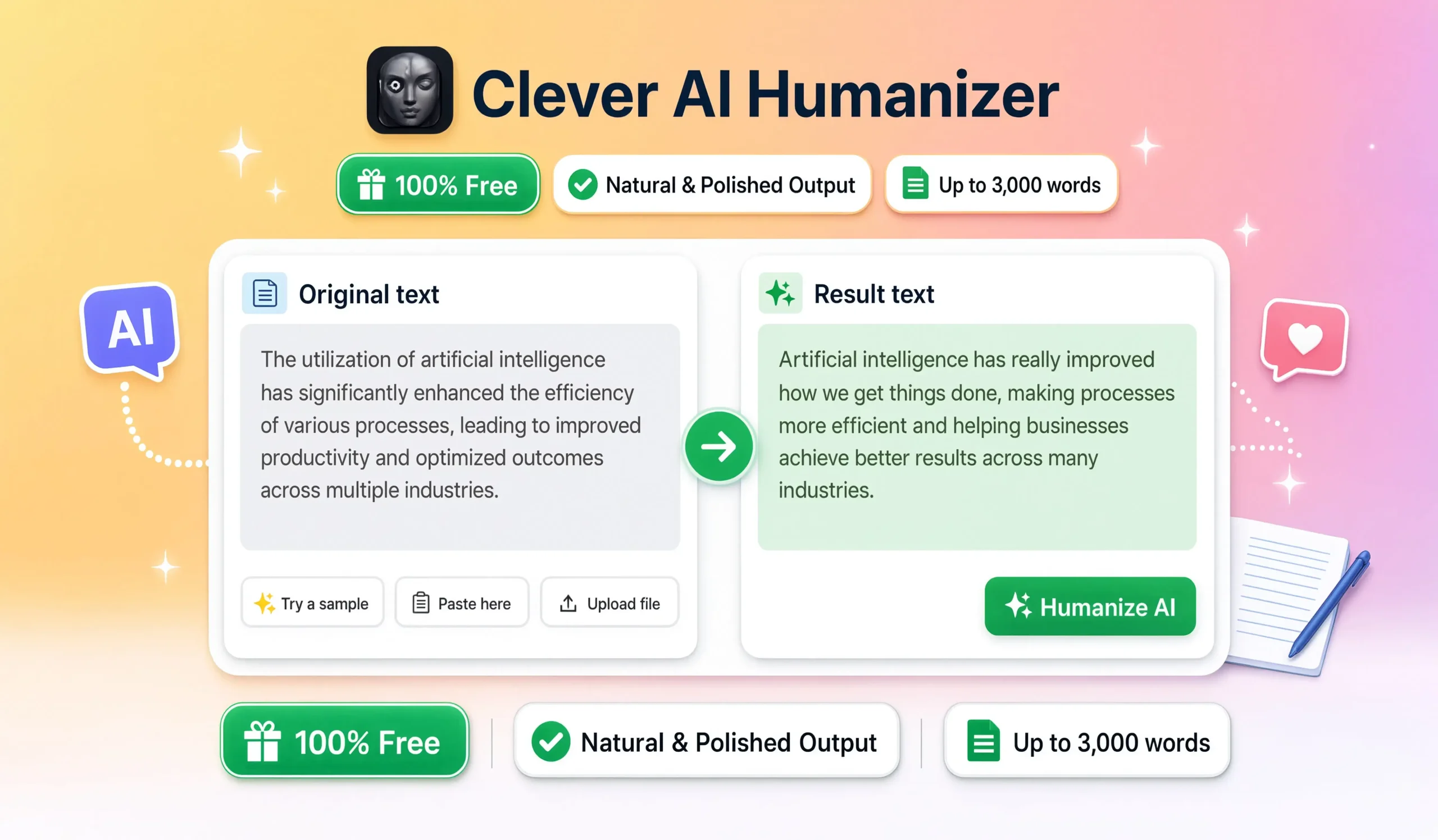
Clever AI Humanizer is a web-based tool that rewrites AI-generated or machine-flat text into more natural, human-sounding prose while attempting to preserve the original meaning. The core promise is straightforward — you paste text produced by ChatGPT, Claude, Gemini, or any similar AI model, and the tool reshapes it so it reads like something a person actually wrote.
The main entity behind the product is Clever AI, a platform that offers a small suite of writing tools with the humanizer as its flagship feature. The tool works through a browser interface, requires no software installation, and processes text within seconds for most standard inputs. Free access is available with limits, and paid tiers unlock higher word caps, additional modes, and detection-bypass features aimed at bypassing systems like GPTZero, Winston AI, Pangram, Originality.ai, ZeroGPT, Turnitin’s AI checker, and Copyleaks.
The key attributes are worth stating clearly:
- Access: Browser-based, no download required
- Cost: Free tier available, paid plans in the $9–$29 monthly range as of 2026
- Modes: Multiple humanization strengths from light to aggressive
- Speed: Typical processing under 15 seconds for standard text
- Languages: Primarily English, with limited support for other languages
- Output: Formatted plain text ready for direct use
Why I Started Testing Humanizers in the First Place
I started using AI humanizer tools because my workflow required it, not because I loved the idea. Client feedback in late 2025 shifted noticeably. Editors began flagging phrasing that felt “too clean,” “too AI,” or “too obviously drafted by a model.” Detection tools started showing up in editorial workflows I had never seen them in before. Whether the detectors were accurate or not was almost beside the point — clients believed them, and clients were paying.
My first month with humanizers was a mess. Every tool I tried either destroyed the meaning of the original, introduced grammar errors that took longer to fix than writing from scratch, or produced output that still felt off. Clever AI Humanizer was the third tool I tested seriously. It was the first one that produced output I could actually deliver without a heavy rewrite pass afterwards.
That is the honest reason it stayed in my toolkit. Not the marketing. Not the price. The fact that the output felt closer to how I actually write.
How Clever AI Humanizer Actually Works
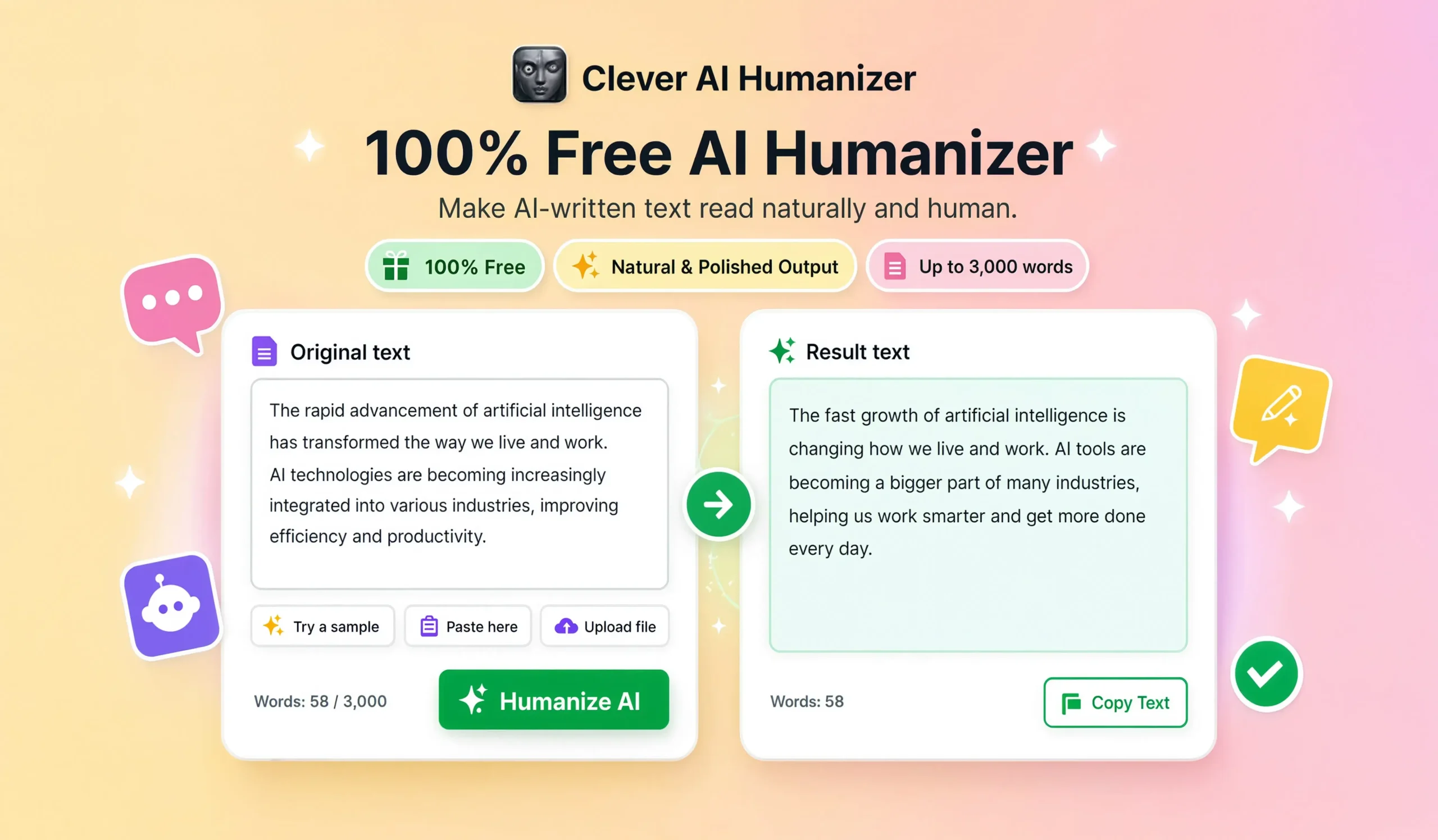
The AI humanizer tool operates through a fairly standard split-screen interface. Paste the AI-generated text on the left. Choose a mode. Click humanize. Read the rewritten version on the right. The changes appear across several dimensions rather than at the word level alone.
The main transformations I have observed:
- Sentence length variation. AI text tends toward uniform sentence length. The tool introduces natural variation, mixing short punchy sentences with longer flowing ones.
- Rhythm and cadence shifts. Phrases get reordered in ways that break the predictable pattern most language models produce.
- Vocabulary adjustments. Overused AI words like “delve,” “tapestry,” “landscape,” and “navigate” get replaced with less telltale alternatives.
- Transition softening. Robotic connectors like “furthermore” and “moreover” often get replaced with more conversational bridges.
- Personal register injection. In more aggressive modes, the tool adds mild hedging, contractions, and first-person markers that human writers use naturally.
- Structural loosening. The output feels less bullet-point-adjacent, even when the input read like a list disguised as prose.
The engine is not doing magic. It is applying a set of learned adjustments that align with what human writing actually looks like statistically. That is enough to make the difference in most real-world use cases.
Core Features Worth Knowing About
Not every feature listed on the marketing page matters in real use. These are the ones I actually rely on.
- Multiple humanization modes. Light, standard, and aggressive settings for different levels of rewrite
- Detection-bypass options. Modes specifically tuned to lower scores on common AI detection tools
- Tone control. Options for casual, professional, academic, and creative registers
- Word-level review. The ability to see what changed and swap suggestions manually
- Bulk processing. Handling of longer documents in a single submission on paid tiers
- Language preservation. Settings that maintain technical terms, brand names, and citations
- Plagiarism check integration. Built-in scanning to confirm output does not match existing sources
The tone control and detection-bypass features are the two that pull most of the weight for professional users. The others are useful but not the reason to choose this tool over alternatives.
Where Clever AI Humanizer Actually Earns Its Place
I have found the tool most valuable in specific situations, not as a general-purpose editor.
- Cleaning up AI-assisted drafts before client delivery. When a project starts with an AI outline or first draft, the humanizer removes the tell-tale patterns before I do the deeper editing pass
- Reworking bulk product descriptions. E-commerce work that begins with template-generated copy benefits from a humanization pass to feel less mass-produced
- Refreshing older AI content. Articles written earlier in the AI era that now read as obviously machine-drafted can be reshaped without a full rewrite
- Blog content produced under tight deadlines. When the choice is between a rushed AI draft or missing a deadline, humanization bridges the gap
- First-pass editing for non-native English writers. Colleagues who use AI to draft in English use humanizers to smooth phrasing before their own voice pass
The pattern in every one of these cases is the same. The humanizer handles the mechanical work of removing AI signatures so the writer can focus on the parts that actually require thinking.
Where the Tool Falls Short
I would not trust a review that only listed the good parts. Here is where Clever AI Humanizer disappoints, in my experience.
- Voice flattening on aggressive mode. The strongest humanization setting sometimes strips out distinctive phrasing along with the AI signatures
- Occasional factual drift. In rare cases the tool rewords a sentence in a way that subtly shifts the meaning, particularly around numbers and technical claims
- Detection bypass is not permanent. The AI detection landscape moves fast, and tools that beat detectors one month sometimes fail the next
- Repetitive output patterns. Running many articles through the same mode produces recognisable rhythms across pieces
- Limited support for non-English languages. Output quality in languages other than English is noticeably weaker
- No true understanding of context. The tool changes patterns, not meaning. It cannot know when a specific phrasing was intentional
- Cost adds up for heavy users. The free tier is limited enough that serious users push into paid plans quickly
None of these are deal-breakers if you use the tool as one part of your process. All of them are problems if you rely on the tool to do the whole job.
How to Use Clever AI Humanizer Responsibly
The ethical question around AI humanizers is real, and I would rather address it directly than pretend it does not exist. There is a difference between using the tool to polish your own AI-assisted work and using it to disguise something you should not be submitting in the first place.
The lines I follow personally:
- Never use humanizers to submit AI-generated academic work as your own. This is plagiarism regardless of how the sentences look afterwards.
- Disclose AI assistance to clients when they ask. Trust matters more than the illusion of pure human output.
- Use humanizers on drafts I am actually going to edit. The tool is a starting point, not the finish line.
- Never publish humanized content without reading every sentence. The final voice pass belongs to me.
- Keep humanizers out of sensitive content. Legal, medical, and financial writing needs precision, not stylistic smoothing.
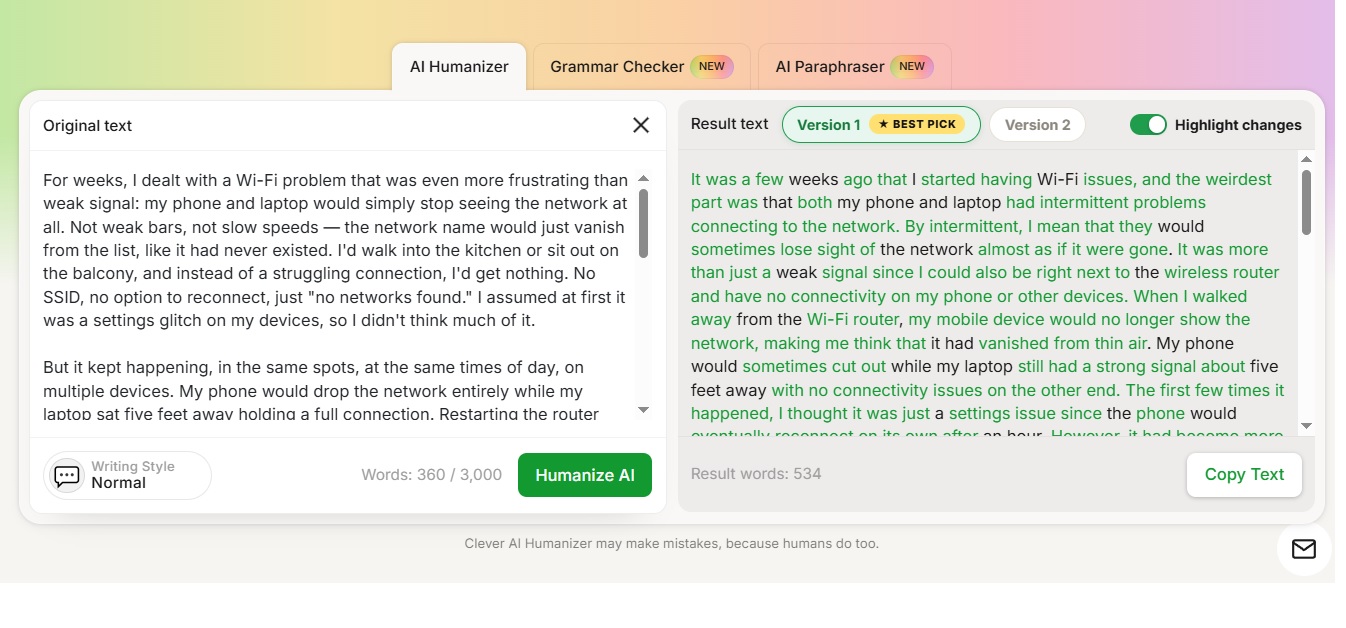
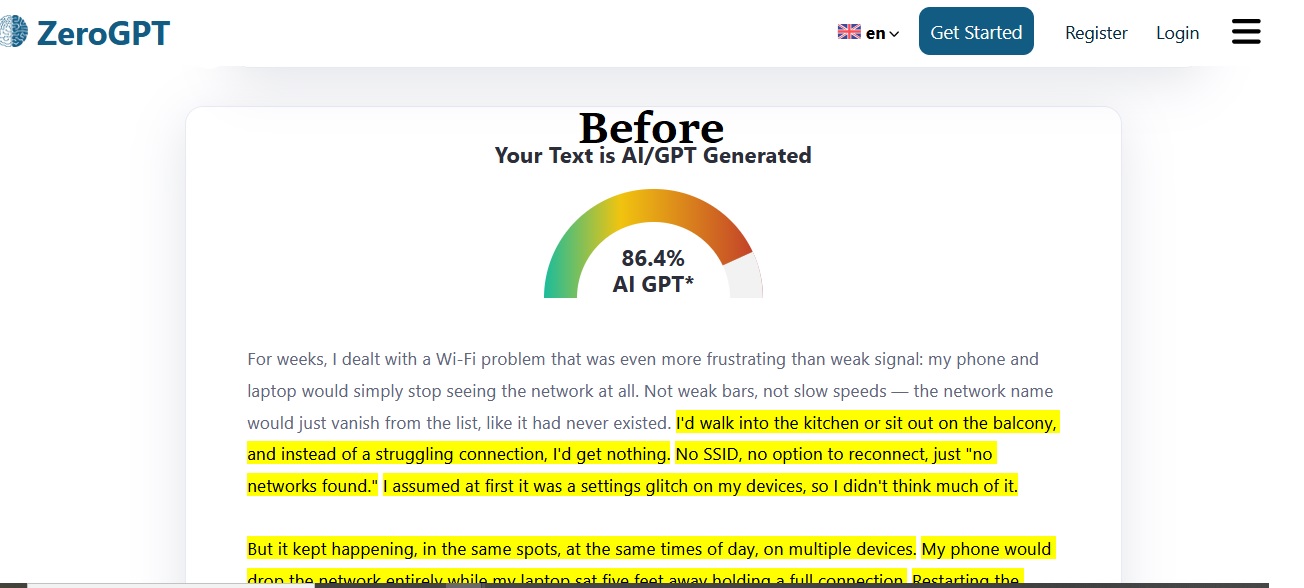
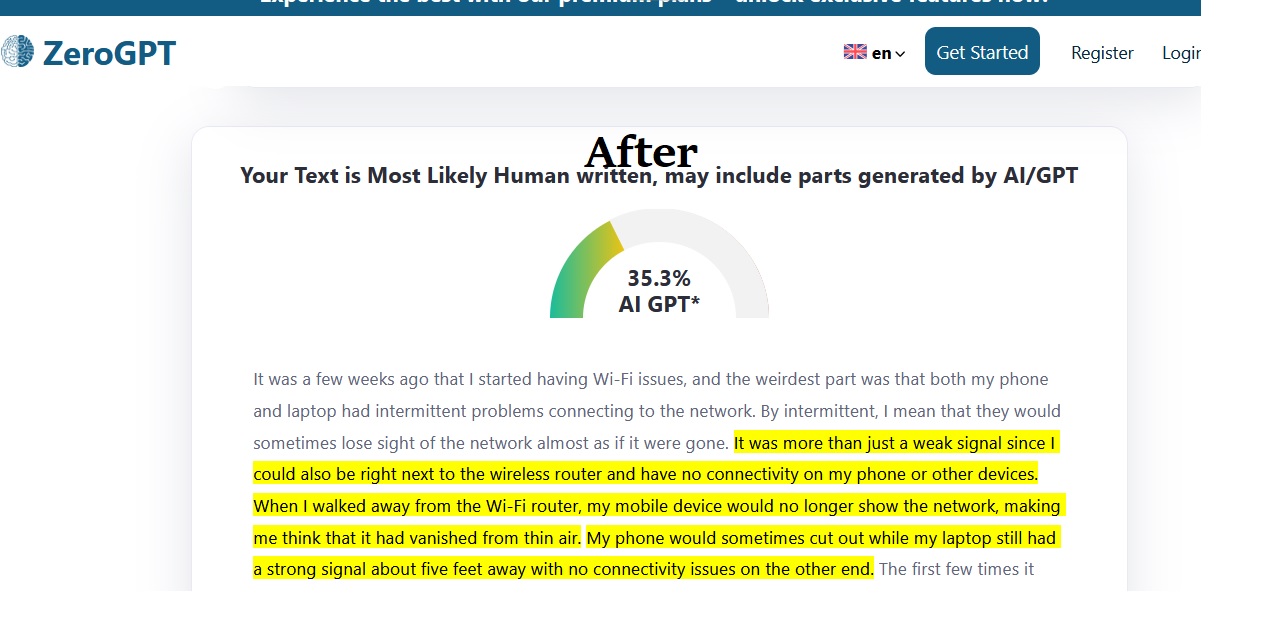
The tool is legitimate. The uses it gets put to are not always legitimate. That distinction matters. You can see real screenshots below, before and after I’m using ZeroGPT to check.
Clever AI Humanizer vs Other Humanizers in 2026
I have tested most of the well-known options in this category. Here is how they line up based on direct experience.
| Tool | Free Tier | Detection Bypass | Voice Quality | Best For |
|---|---|---|---|---|
| Clever AI Humanizer | Yes, limited | Strong | Above average | General professional writing |
| Undetectable AI | Yes, very limited | Very strong | Average | Detection-focused users |
| StealthGPT | Trial only | Strong | Variable | Bulk content |
| Humbot | Yes, limited | Moderate | Average | Casual users |
| Phrasly | Yes, limited | Moderate | Above average | Academic-style writing |
| BypassGPT | Trial only | Very strong | Below average | Detection tests only |
| WriteHuman | Yes, limited | Strong | Above average | Blog and marketing |
Clever AI Humanizer sits in the upper tier for voice quality while offering competitive detection bypass. It is not the strongest at any single dimension. It is the most balanced across all of them, which is what matters when the tool has to work across many use cases.
How I Actually Integrate It Into My Workflow
The tool has become part of my process, but not in the way most marketing pages suggest. Here is my actual sequence.
- I never write with a humanizer in mind. The first draft is either fully human or AI-assisted based on the project.
- If AI assistance was involved, the raw output gets a manual edit first. I fix structural issues, factual errors, and obvious template phrasing before the tool ever sees it.
- I run the edited draft through Clever AI Humanizer on standard mode. Aggressive mode is reserved for cases where detection matters more than voice preservation.
- I read the output back sentence by sentence. Anything that shifted meaning gets reverted or rewritten.
- I do a final human voice pass. This is where my actual writing style gets stamped back onto the piece.
- I run a detection check as a spot verification, not a gatekeeper. The check tells me whether the output would trigger client concerns.
That process takes longer than pure AI generation, and it should. The end result feels human because a human was involved in the final decisions.
Common Mistakes People Make With Humanizers
Watching other writers use these tools has taught me more than watching myself use them. These are the patterns that hold people back.
- Running long articles through in one submission and accepting whatever comes out
- Trusting the tool with technical content without a manual review
- Using aggressive mode by default when standard would preserve more voice
- Skipping the final human pass because the tool “sounded good enough”
- Treating detection scores as truth rather than as one data point
- Overusing humanizers on content that should have been written from scratch
- Assuming any single humanizer will beat every detector forever
Every one of these mistakes costs quality in ways the writer rarely sees until a client points it out.
Can Humanized Content Rank in 2026?
The relationship between humanized content and search rankings is more complex than most writers realise. Google’s ranking systems in 2026 do not directly penalise AI-assisted content, but they do reward writing that demonstrates real experience, expertise, and originality. Humanization alone does not create any of those qualities. It only removes the surface signals of AI production.
The three habits that make humanized content actually rank:
- Add fresh statistics, updated examples, and specific details the AI could not have produced
- Cover related entities and topics that broaden the semantic footprint of the piece
- Include personal experience, opinion, and voice that no humanizer can invent
Humanized content ranks when it earns the ranking. The humanizer removes the obstacle. It does not create the value.
Frequently Asked Questions
Is Clever AI Humanizer safe and legitimate to use?
Yes. Clever AI Humanizer is a legitimate tool that operates transparently, offers a functional free tier, and uses standard e-commerce security for paid accounts. The legitimacy question depends less on the tool itself and more on how it is used. Polishing your own AI-assisted work is a valid use. Disguising work that should not be submitted at all is not.
Does the tool actually bypass AI detection systems?
Yes, in most cases, but not permanently. Detection systems and humanizers evolve in parallel, and a tool that scores well against detectors one month may score less well the next. Rely on the humanizer as one part of the process, not as a permanent guarantee.
Will humanized content read like something I wrote?
No, not entirely. The tool removes AI signatures but does not add your specific voice. The final voice pass has to come from you. Content that goes straight from humanizer to publication still reads as generic professional writing, just without the AI tells.
Is it ethical to use a humanizer on client work?
Yes, when the client has agreed to AI-assisted production and you are using the tool to polish drafts you will still edit substantially. It is not ethical when clients have explicitly requested fully human writing and the humanizer is being used to deceive them.
Can students use Clever AI Humanizer for academic work?
No. Submitting AI-generated content as your own work is plagiarism at almost every academic institution regardless of humanization. The tool cannot ethically be used to disguise AI drafts as original student work. Use it only for polishing writing you actually produced yourself.
Does the free tier offer enough for casual users?
Yes. Casual users producing a few pieces per week will find the free tier workable, though the word cap will force short submissions. Regular professional users will hit the limits quickly and need to consider a paid plan.
Will humanized content help my SEO rankings?
No, not on its own. Humanization removes surface AI signals but does not add the substance that actually drives rankings. Combine humanization with fresh data, personal experience, and genuine topical depth to produce content that both reads well and ranks well.
Does the tool change the meaning of my content?
No, in most cases. Meaning drift is rare on standard mode and slightly more common on aggressive settings. Always read the output carefully, especially sentences containing numbers, names, or technical claims where subtle shifts matter most.
Is the paid subscription worth the cost?
Yes, for professional writers producing more than a few thousand words per week. The higher word cap, additional modes, and expanded detection bypass features save enough time to justify the subscription. Casual users should stick with the free tier until they hit its limits consistently.
Can Clever AI Humanizer handle languages other than English?
No, not to the same quality level. English output is significantly stronger than output in other languages. Writers working in other languages will find the tool useful for English drafts and less useful for their native-language content.
Final Thoughts
Clever AI Humanizer has secured its place in my life, which says something given how many humanizers I tested as a skeptic. It does what it promises to do, which is strip away the superficial markers of AI authorship while leaving the meat of the text intact, just as promised. It is not a comprehensive solution as the marketers would have you believe, and it is also a genuinely useful tool if you are willing to embrace it as a part of a larger writing process.
The humanizers that I have found to be the most useful are those used sparingly by writers who know their craft. They use it as one tool among many and do not mistake a humanizer for a comprehensive solution. They always proofread what the program outputs since they know that humanizing a text is a process that rarely perfects a text on the first try. Most importantly, they think critically about the text they write and are not prone to simply throwing any AI text through a humanizer and calling it good.
If this philosophy appeals to you, so should the free option the company offers, which you can use to test-drive the service on a sample text before committing to a purchase. Do not be deceived by false marketing; ask yourself whether you would want to stand behind the text that has been humanized by a given service. This sort of critical evaluation is how you will find the humanizer that is right for you. This is how I found Clever AI Humanizer, and it has since proven itself to be a valuable addition to my writing toolkit.
You May Also Like
 AI Tools
Free Paraphrasing Tool by QuillBot: An Honest Review
 AI Tools
Free Article Rewriter Tool by SpellMistake: An Honest Review After Months of Testing
 AI Tools
Free Article Rewriter by UploadArticle.com: What It Is, How It Works, and Why You Actually Need It
 Personal Growth
How to Overcome Fear of Failure: 7 Practical Steps
 Family and Relationships
How to Listen to Your Husband Without Trying to Fix Everything
 Family and Relationships
How We Strengthen Our Relationship in 24 Hours: A Real Couple’s Guide to a Healthy Relationship
 Self-Improvement
17 Small Self-Improvement Habits You Can Start Today
 Fun Questions
1500+ This or That Questions for 2026: From Silly Choices to Deep Conversations
 Uncategorized